CATWLK Pro · for independent stylists
Run every client edit in one place.
Source products, build a shortlist, share a private edit and handle feedback without losing the client brief.
Application only. Free during validation. No card required. No automatic conversion to a paid subscription.
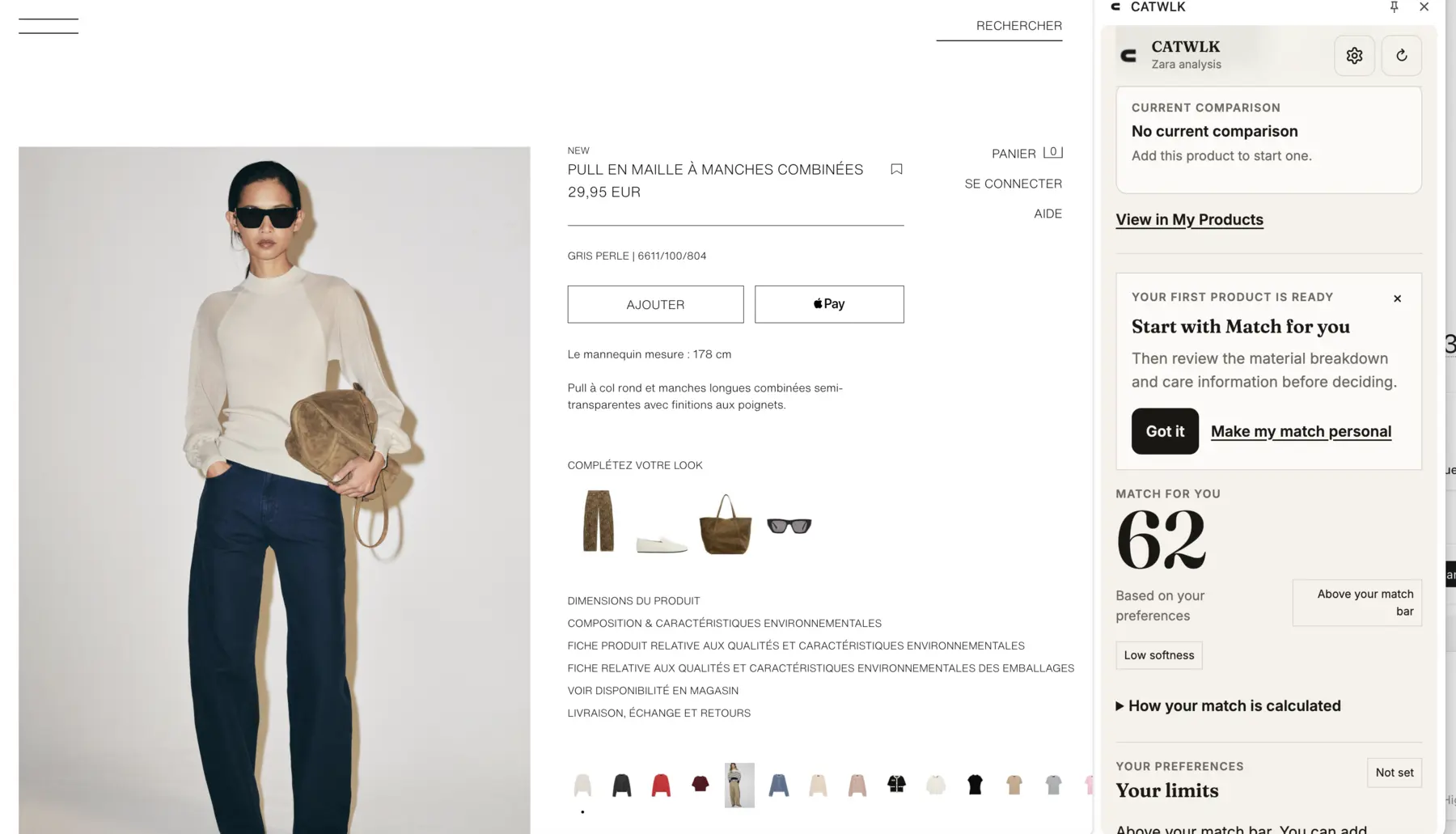
01 / Chrome extension
Score for the client while you shop.
Choose the client edit once. CATWLK reads the product page, uses that client’s preferences and keeps the result beside the retailer.
- 01Choose the clientMaya’s active edit stays selected while you browse.
- 02Check the client scoreSee how the product fits her priorities and limits.
- 03Add it in one clickThe product goes straight into the right edit.
02 / Today
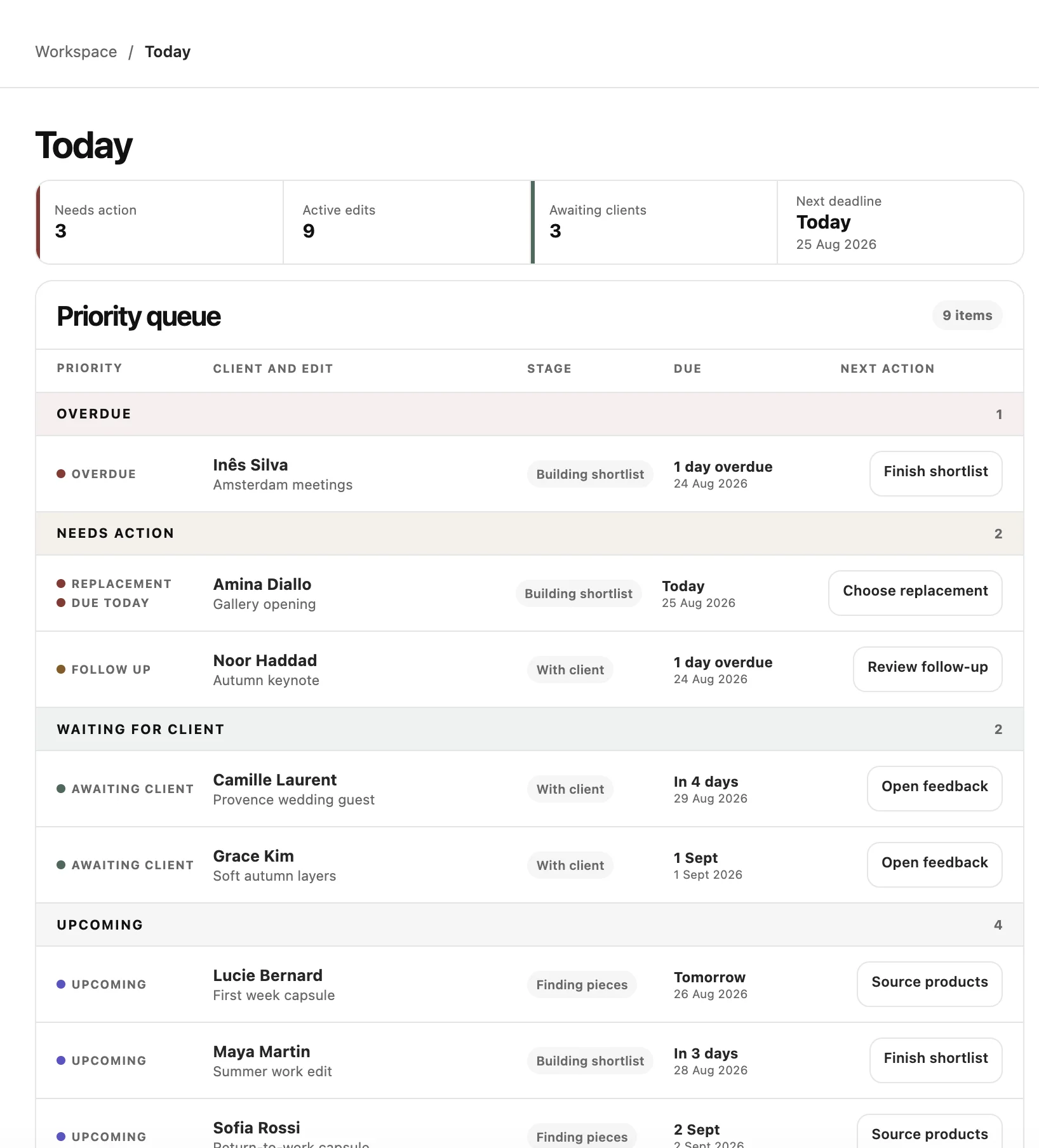
Start with what needs you.
See overdue work, client replies and upcoming deadlines in one practical queue. Each row opens the exact next step.
- Priority queue for every active edit
- Clear deadline and stage
- One next action per item
03 / Source
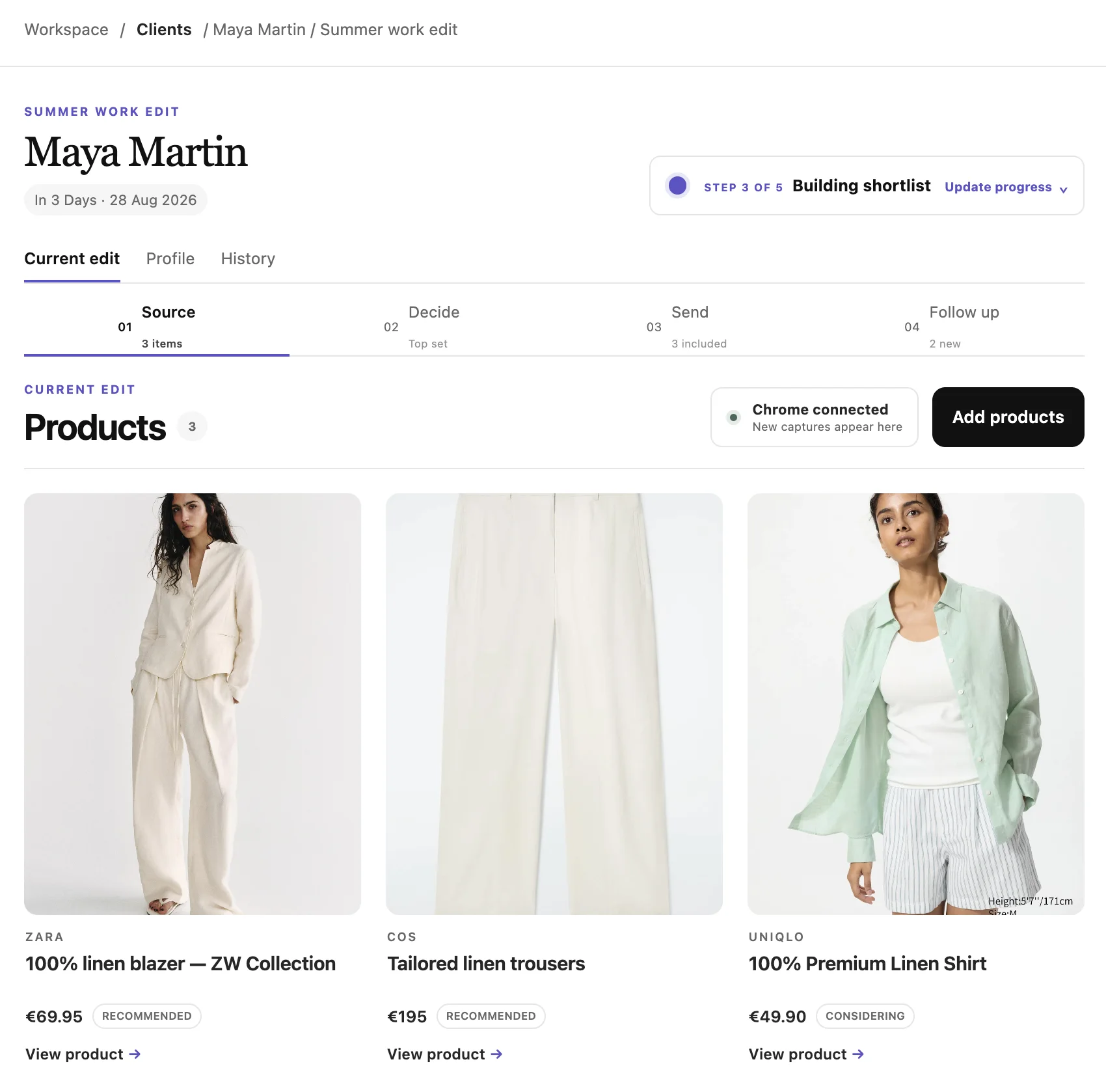
Keep the edit visual.
New captures appear in the active client edit. Large product cards make it easy to scan the shortlist before opening the detail you need.
- Products grouped by client edit
- Clear connection status
- Fast access to the original product
04 / Library
Reuse the work you already did.
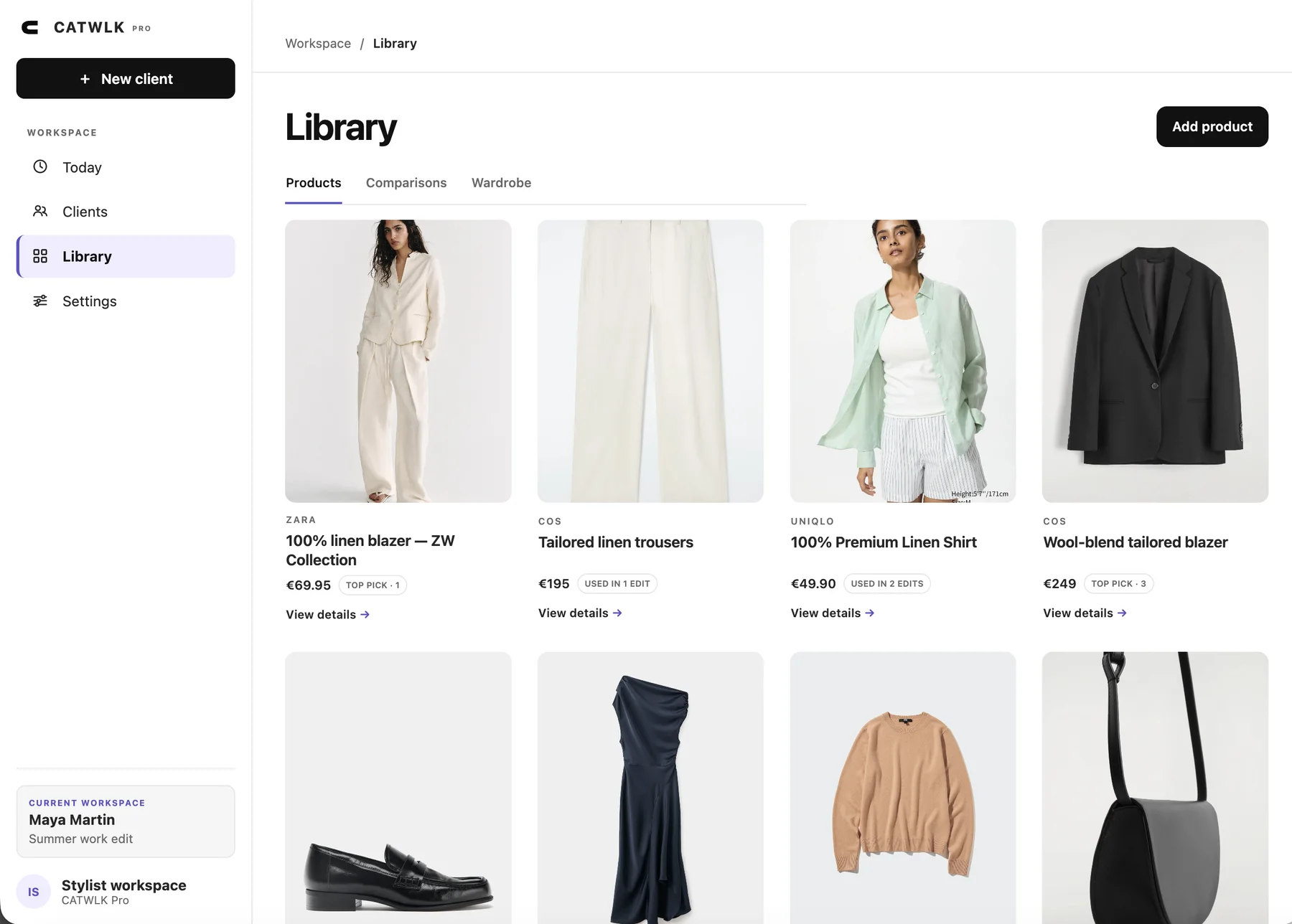
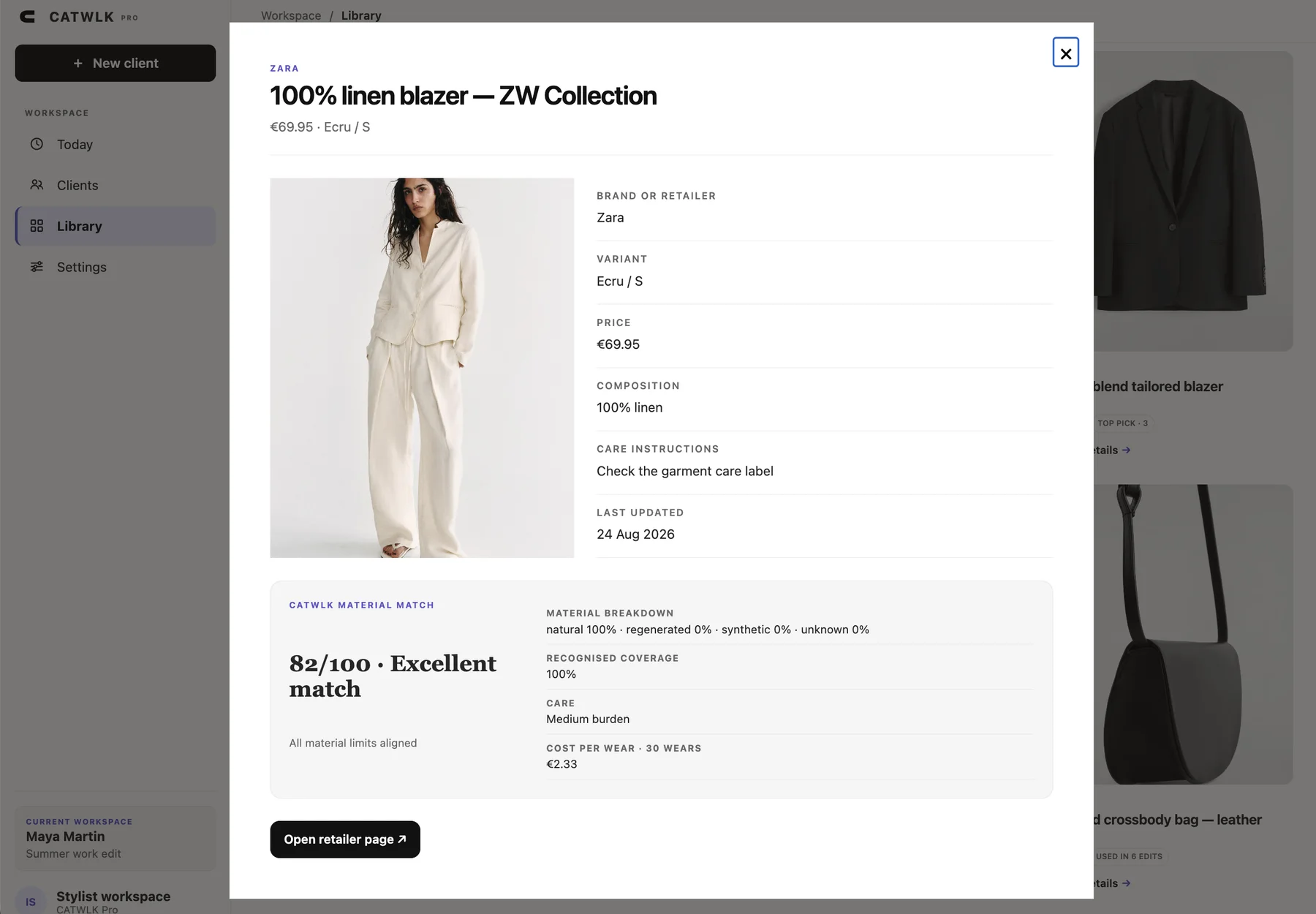
Keep saved products in a visual library, then open any piece to check the retailer details, composition and personal material match.
- Reusable product library
- Composition and care in one view
- Cost per wear and material match
05 / Client review
Make feedback easy to give.
Send a private review where the client can choose Love, Maybe or Pass, add a comment and request a replacement.
- No client account required
- Product response and size together
- Private link controlled by the stylist
The review is private, not a public gallery. You decide when to share it and can revoke access.
06 / Follow up
Turn every reply into the next move.
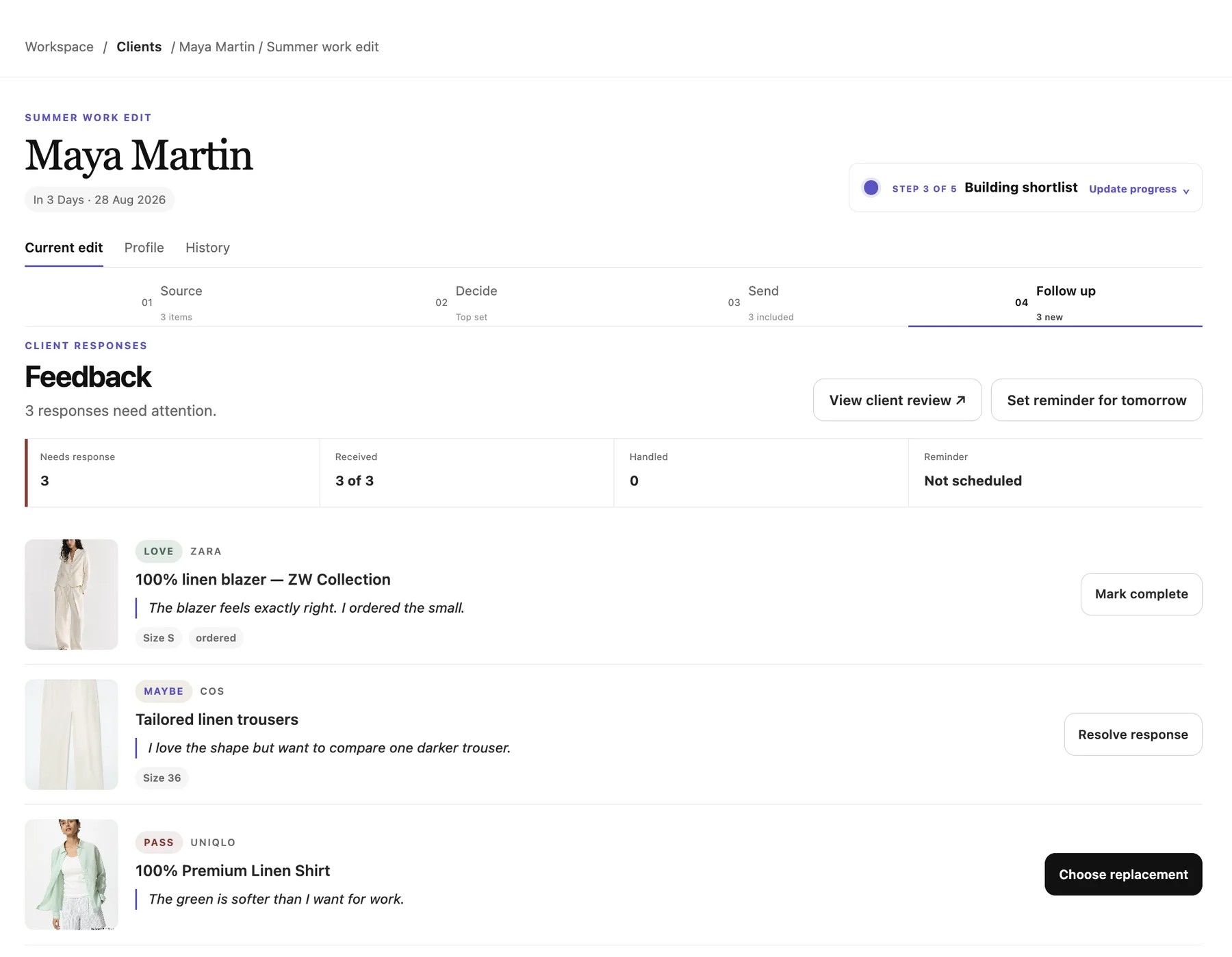
See what the client loved, what needs a response and which product needs replacing. Handle each reply without searching through messages.
- Feedback grouped by product
- Replacement requests stay visible
- Handled responses remain in the edit
07 / Frequently asked questions
Before you join
the pilot.
What is CATWLK Pro?
CATWLK Pro is a client workflow for independent personal stylists. It keeps the brief, sourced products, shortlist, private review and client feedback together.
How does CATWLK score a product for a client?
Choose the active client edit in the browser extension. CATWLK then uses that client’s saved priorities, score bar and material or care limits when it reads a supported product page.
Can I add a product to a client edit in one click?
Yes. On a supported product page, choose the client and edit, review the client score and select Add to client edit. The product appears in the Source step of that edit.
Does my client need a CATWLK account?
No. Clients can open the private review link and respond to the products without creating a CATWLK account.
What happens to client and product data?
Local products and clients stay on your device unless you choose to move, share or receive them through a connected CATWLK workspace. You control each private review link. Read the privacy details.
Which retailers can I source from?
CATWLK supports relevant product pages from a growing list of retailers including Zara, H&M, Mango, Uniqlo, COS and others. Retailer sites and market variations can change. See supported retailers.
Is CATWLK a CRM or booking platform?
No. CATWLK focuses on sourcing, comparing, recommending, sharing and following up on products for client edits. It is not a booking, invoicing or full CRM system.
Best for
Independent personal stylists.
Best for stylists who source products online for paying clients and want to preserve the brief, recommendation and client response in one workflow.
Request stylist access